FileMaker Data APIでオブジェクトフィールドのデータをダウンロードする方法
FileMaker Data APIを使用して、オブジェクトフィールドのデータをダウンロードする要件があり、その方法を調査しました。
仕組みを確認したかったため、備忘録として情報を整理してまとめておきます。
環境
- FileMaker Server 20.3.1.31
- macOS Ventura
- curl 8.4.0
準備
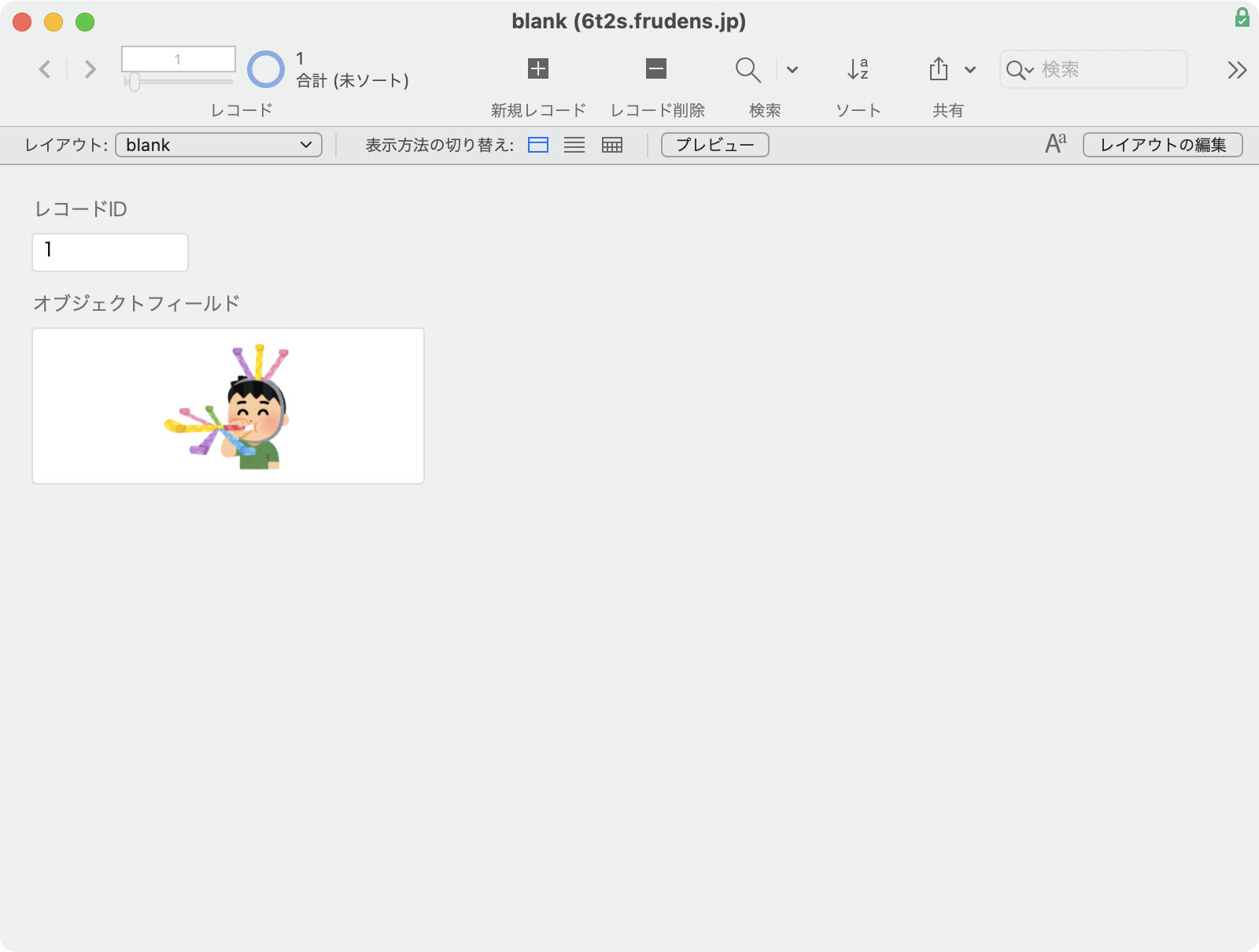
FileMaker Serverに、テストのため、最小限のファイルをアップロードしました。
レコードIDとオブジェクトフィールドという2つのフィールドのみです。
手順
具体的なcurlコマンドと、その実行結果(レスポンス)を順を追って解説します。
Loginメソッドで、セッショントークンを取得
FileMaker Data APIのドキュメントの通り、Loginメソッドを実行します。
リクエスト
TOKEN=$(echo -n "Administrator:password" | base64)

curl --request "POST" \
  -H "Authorization: Basic ${TOKEN}" \
  -H "Content-Type: application/json" \
  -d "{}" \
  --include \
"https://fm.example.com/fmi/data/v2/databases/blank/sessions" > "$(date "+%Y%m%d_%H%M%S").txt"レスポンス(HEADER + JSON)
HTTP/2 200
server: nginx
date: Fri, 29 Mar 2024 17:19:08 GMT
content-type: application/json; charset=utf-8
content-length: 118
cache-control: no-cache
x-fm-data-access-token: 6ae7a50a4ad5dd96fe2c3d3237017ce8c263cb176dbb1098fbbe
etag: W/"76-vNMv3Nvh+NE0GQhO8vabG+K3igs"
vary: Accept-Encoding
strict-transport-security: max-age=31536000; includeSubDomains
x-frame-options: SAMEORIGIN
x-xss-protection: 1; mode=block
x-content-type-options: nosniff
access-control-allow-origin: instance-5-pt9
access-control-allow-credentials: True
access-control-allow-headers: Content-Type,Authorization

{"response":{"token":"6ae7a50a4ad5dd96fe2c3d3237017ce8c263cb176dbb1098fbbe"},"messages":[{"code":"0","message":"OK"}]}レスポンス(JSON)
{
  "response": {
    "token": "6ae7a50a4ad5dd96fe2c3d3237017ce8c263cb176dbb1098fbbe"
  },
  "messages": [
    {
      "code": "0",
      "message": "OK"
    }
  ]
}Findメソッドで、該当のレコードを検索
FileMaker Data APIのドキュメントの通り、Findメソッドを実行します。
リクエスト
SESSION_TOKEN="6ae7a50a4ad5dd96fe2c3d3237017ce8c263cb176dbb1098fbbe"

DATA='{
  "query": [
    {
      "レコードID": 1
    }
  ]
}'

curl --request "POST" \
  -H "Authorization: Bearer ${SESSION_TOKEN}" \
  -H "Content-Type: application/json" \
  -d "${DATA}" \
  --include \
"https://fm.example.com/fmi/data/v2/databases/blank/layouts/blank/_find" > "$(date "+%Y%m%d_%H%M%S").txt"レスポンス(HEADER + JSON)
HTTP/2 200
server: nginx
date: Fri, 29 Mar 2024 17:20:10 GMT
content-type: application/json; charset=utf-8
content-length: 448
cache-control: no-cache
etag: W/"1c0-/SnZehBIpnq8INZJicGm/SnzJO4"
vary: Accept-Encoding
strict-transport-security: max-age=31536000; includeSubDomains
x-frame-options: SAMEORIGIN
x-xss-protection: 1; mode=block
x-content-type-options: nosniff
access-control-allow-origin: instance-5-pt9
access-control-allow-credentials: True
access-control-allow-headers: Content-Type,Authorization

{"response":{"dataInfo":{"database":"blank","layout":"blank","table":"blank","totalRecordCount":1,"foundCount":1,"returnedCount":1},"data":[{"fieldData":{"オブジェクトフィールド":"https://fm.example.com:443/Streaming_SSL/MainDB/2FA9BAA884B524D0DE34C298FE3EDEC3E2171AF1EC93D510CBCA3772E63E0876.png?RCType=EmbeddedRCFileProcessor","レコードID":1},"portalData":{},"recordId":"1","modId":"3"}]},"messages":[{"code":"0","message":"OK"}]}レスポンス(JSON)
{
  "response": {
    "dataInfo": {
      "database": "blank",
      "layout": "blank",
      "table": "blank",
      "totalRecordCount": 1,
      "foundCount": 1,
      "returnedCount": 1
    },
    "data": [
      {
        "fieldData": {
          "オブジェクトフィールド": "https://fm.example.com:443/Streaming_SSL/MainDB/2FA9BAA884B524D0DE34C298FE3EDEC3E2171AF1EC93D510CBCA3772E63E0876.png?RCType=EmbeddedRCFileProcessor",
          "レコードID": 1
        },
        "portalData": {},
        "recordId": "1",
        "modId": "3"
      }
    ]
  },
  "messages": [
    {
      "code": "0",
      "message": "OK"
    }
  ]
}オブジェクトフィールドのURLにGETリクエスト
上記のJSONのresponse.data[0].fieldData.オブジェクトフィールドにセットされているURLにGETリクエストします。
このURLをブラウザにコピペしてGETリクエストをすると、表示できます。
https://fm.example.com:443/Streaming_SSL/MainDB/2FA9BAA884B524D0DE34C298FE3EDEC3E2171AF1EC93D510CBCA3772E63E0876.png?RCType=EmbeddedRCFileProcessor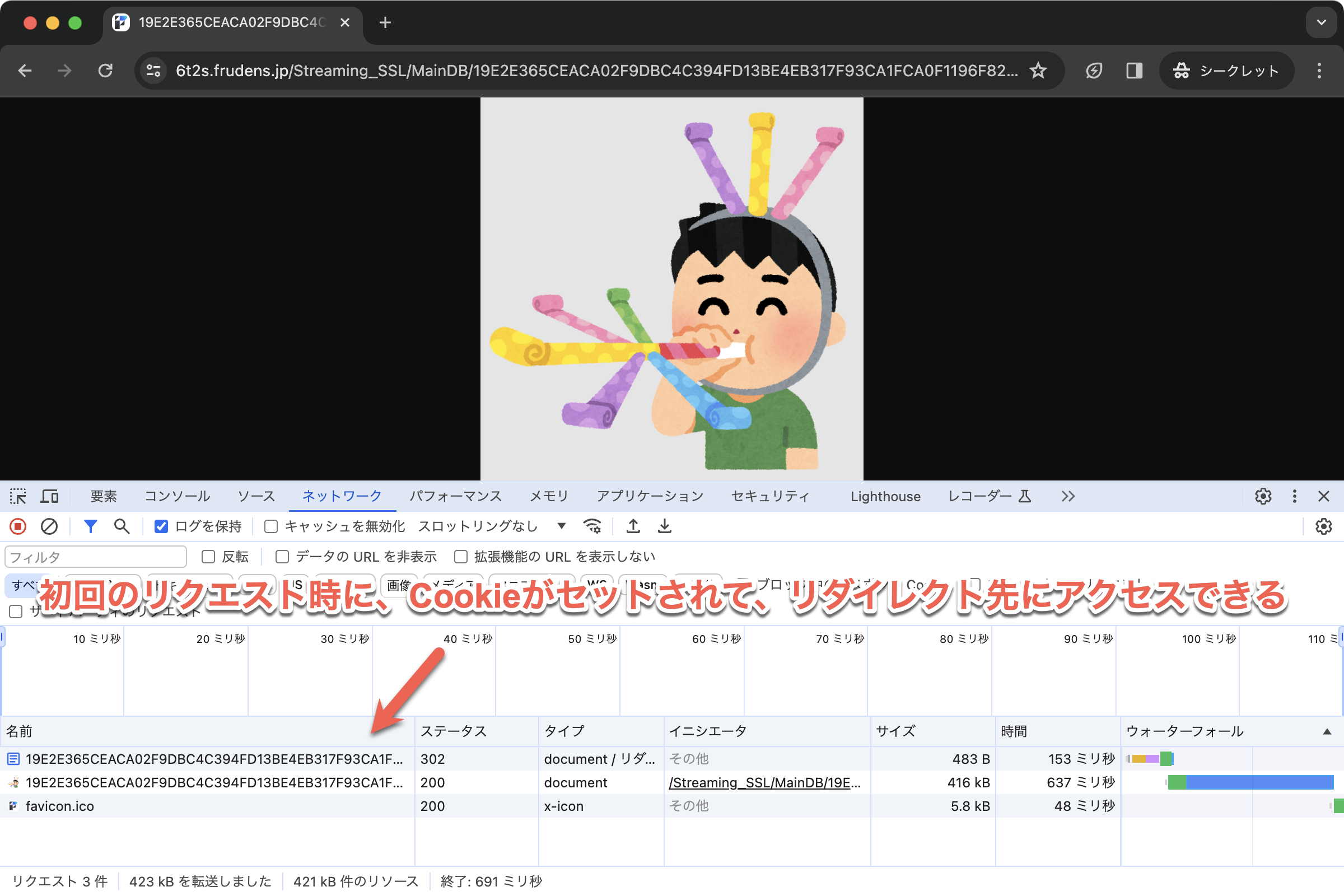
ブラウザのネットワークタブでリクエストを確認
ブラウザで画像が表示されるまでの裏側の挙動(HTTP通信)を整理すると、以下のフローになります。
概要
- ブラウザは、URLに対して、GETリクエストする。
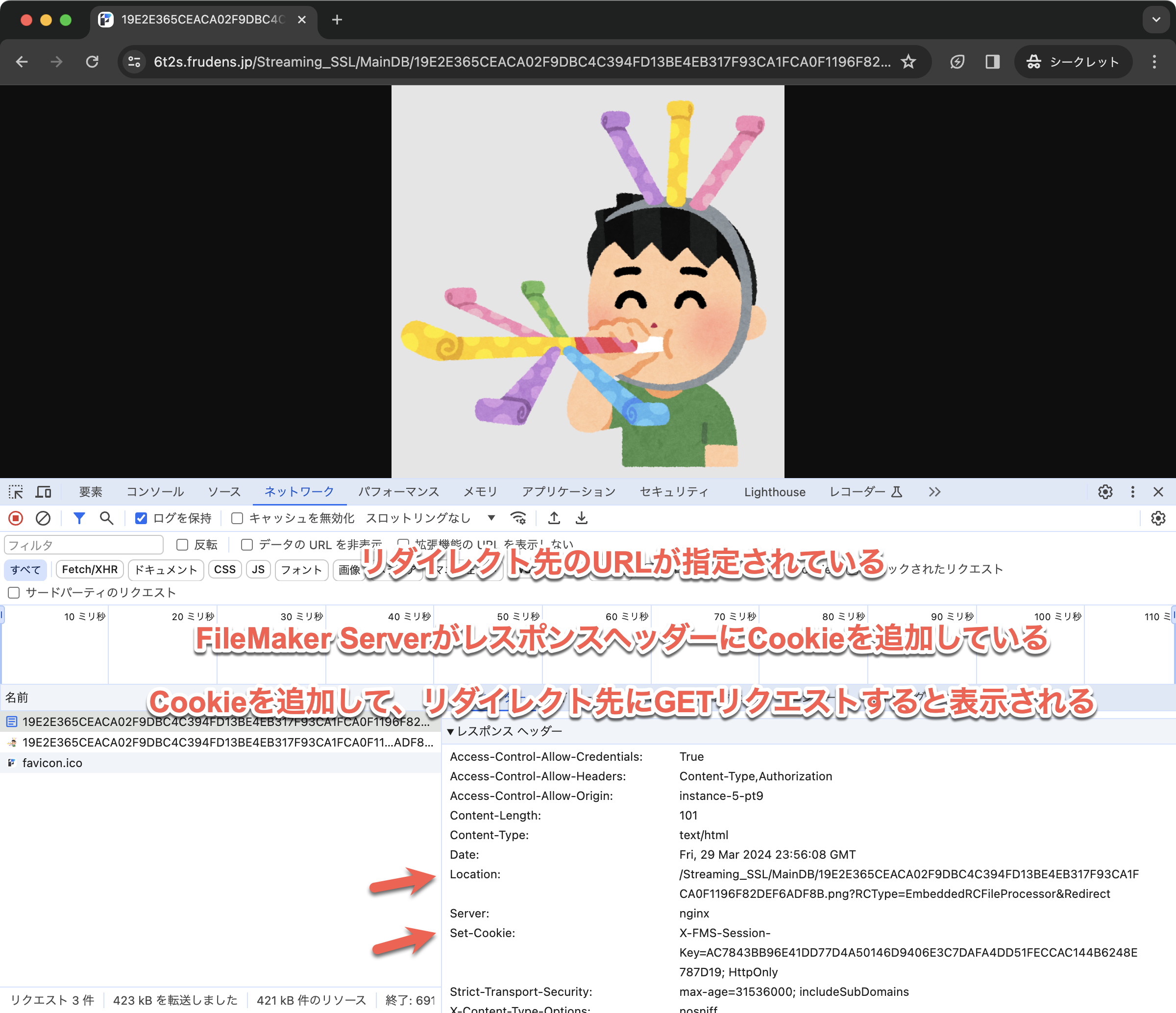
- FileMaker Serverは、レスポンスヘッダーにCookie(
X-FMS-Session-Key)を追加し、リダイレクト先のURL(location)を設定し、302ステータスでレスポンスを返す。 -
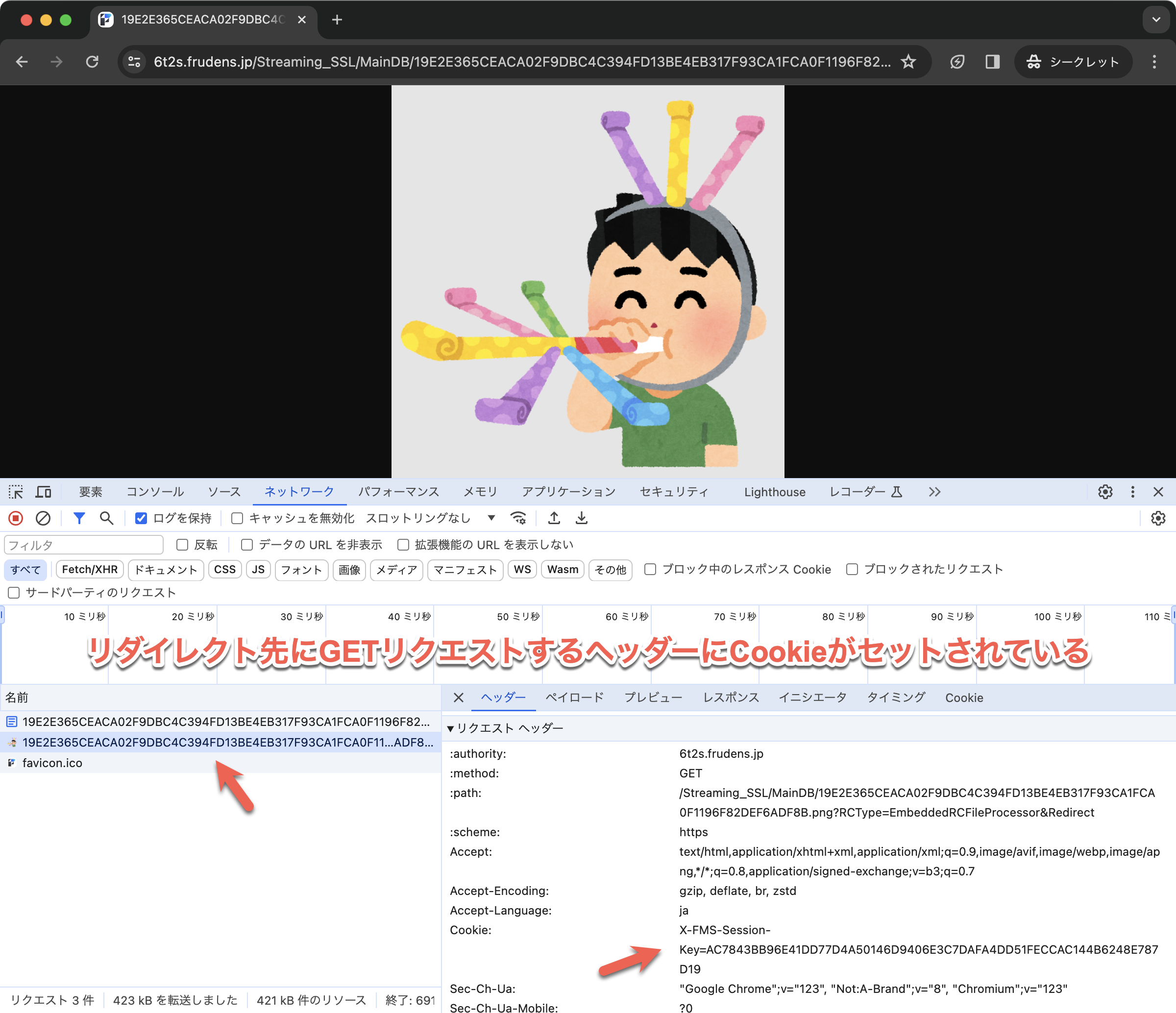
ブラウザは、ヘッダーにセットされたCookie(
X-FMS-Session-Key)を保存し、リダイレクト先のURLに対して、GETリクエストする。- その際、ブラウザはCookieをヘッダーにセットして、リクエストを行います。
- FileMaker Serverは、リクエストヘッダーのCookie(
X-FMS-Session-Key)の値が一致していることを確認し、オブジェクトフィールドのバイナリを返す。
上記のブラウザと同じように、FileMaker Serverとcurlコマンドでやりとりすることで、オブジェクトフィールドをダウンロードできます。
curlコマンドによる実行手順の解説に戻ります
--verboseオプションについて
--verboseオプションを指定すると、詳細な情報を取得できます。
FileMakerでは--verboseオプションはサポートされていませんが、かわりに--traceオプションを使うことで、近しい情報を取得できます。
If your curl command does not execute or return what you expected it to, your first gut reaction should always be to run the command with the -v / --verbose option to get more information.
When verbose mode is enabled, curl gets more talkative and explains and shows a lot more of its doings.
It adds informational tests and prefix them with '*'. For example, let's see what curl might say when trying a simple HTTP example (saving the downloaded data in the file called 'saved'):
curl コマンドが実行されない、または期待どおりの結果が返されない場合、最初の直感的な反応は常に -v / --verbose オプションを指定してコマンドを実行して詳細情報を取得することです。
詳細モードを有効にすると、curl はより饒舌になり、より多くの動作を説明および表示します。
情報テストを追加し、先頭に「*」を付けます。
たとえば、単純な HTTP の例 (ダウンロードしたデータを「saved」というファイルに保存する) を試したときに、curl が何を言うかを見てみましょう。
curlのオプションについては、公式ドキュメントも併せて確認することをお勧めします。
リクエスト
--cookie-jarオプションを指定すると、サーバーのレスポンスヘッダーに含まれるSet-Cookieを取得できます。
curl --request "GET" \
  --verbose \
  --include \
  --cookie-jar ./cookiejar \
"https://fm.example.com:443/Streaming_SSL/MainDB/2FA9BAA884B524D0DE34C298FE3EDEC3E2171AF1EC93D510CBCA3772E63E0876.png?RCType=EmbeddedRCFileProcessor" > "$(date "+%Y%m%d_%H%M%S").txt"レスポンス(verbose)
Note: Unnecessary use of -X or --request, GET is already inferred.
  % Total    % Received % Xferd  Average Speed   Time    Time     Time  Current
                                 Dload  Upload   Total   Spent    Left  Speed
  0     0    0     0    0     0      0      0 --:--:-- --:--:-- --:--:--     0*   Trying 35.213.59.44:443...
* Connected to fm.example.com (35.213.59.44) port 443
* ALPN: curl offers h2,http/1.1
* (304) (OUT), TLS handshake, Client hello (1):
} [320 bytes data]
*  CAfile: /etc/ssl/cert.pem
*  CApath: none
* (304) (IN), TLS handshake, Server hello (2):
{ [122 bytes data]
* (304) (IN), TLS handshake, Unknown (8):
{ [19 bytes data]
* (304) (IN), TLS handshake, Certificate (11):
{ [2588 bytes data]
* (304) (IN), TLS handshake, CERT verify (15):
{ [264 bytes data]
* (304) (IN), TLS handshake, Finished (20):
{ [52 bytes data]
* (304) (OUT), TLS handshake, Finished (20):
} [52 bytes data]
* SSL connection using TLSv1.3 / AEAD-AES256-GCM-SHA384
* ALPN: server accepted h2
* Server certificate:
*  subject: CN=fm.example.com
*  start date: Mar 29 14:03:47 2024 GMT
*  expire date: Jun 27 14:03:46 2024 GMT
*  subjectAltName: host "fm.example.com" matched cert's "fm.example.com"
*  issuer: C=US; O=Let's Encrypt; CN=R3
*  SSL certificate verify ok.
* using HTTP/2
* [HTTP/2] [1] OPENED stream for https://fm.example.com:443/Streaming_SSL/MainDB/2FA9BAA884B524D0DE34C298FE3EDEC3E2171AF1EC93D510CBCA3772E63E0876.png?RCType=EmbeddedRCFileProcessor
* [HTTP/2] [1] [:method: GET]
* [HTTP/2] [1] [:scheme: https]
* [HTTP/2] [1] [:authority: fm.example.com]
* [HTTP/2] [1] [:path: /Streaming_SSL/MainDB/2FA9BAA884B524D0DE34C298FE3EDEC3E2171AF1EC93D510CBCA3772E63E0876.png?RCType=EmbeddedRCFileProcessor]
* [HTTP/2] [1] [user-agent: curl/8.4.0]
* [HTTP/2] [1] [accept: */*]
> GET /Streaming_SSL/MainDB/2FA9BAA884B524D0DE34C298FE3EDEC3E2171AF1EC93D510CBCA3772E63E0876.png?RCType=EmbeddedRCFileProcessor HTTP/2
> Host: fm.example.com
> User-Agent: curl/8.4.0
> Accept: */*
>
< HTTP/2 302
< server: nginx
< date: Fri, 29 Mar 2024 17:24:23 GMT
< content-type: text/html
< content-length: 101
< location: /Streaming_SSL/MainDB/2FA9BAA884B524D0DE34C298FE3EDEC3E2171AF1EC93D510CBCA3772E63E0876.png?RCType=EmbeddedRCFileProcessor&Redirect
* Added cookie X-FMS-Session-Key="958B4BE4707B39041058C16C1C128DA80184AB8D21F61A4492CF693FBA04ACE0" for domain fm.example.com, path /Streaming_SSL/MainDB/, expire 0
< set-cookie: X-FMS-Session-Key=958B4BE4707B39041058C16C1C128DA80184AB8D21F61A4492CF693FBA04ACE0; HttpOnly
< x-fms-result: 0
< strict-transport-security: max-age=31536000; includeSubDomains
< x-frame-options: SAMEORIGIN
< x-xss-protection: 1; mode=block
< x-content-type-options: nosniff
< access-control-allow-origin: instance-5-pt9
< access-control-allow-credentials: True
< access-control-allow-headers: Content-Type,Authorization
<
{ [101 bytes data]
100   101  100   101    0     0   2653      0 --:--:-- --:--:-- --:--:--  2729
* Connection #0 to host fm.example.com left intactverboseを良く見ると、以下のようなログがあります。
* Added cookie X-FMS-Session-Key="958B4BE4707B39041058C16C1C128DA80184AB8D21F61A4492CF693FBA04ACE0" for domain fm.example.com, path /Streaming_SSL/MainDB/, expire 0ログの通りですが、FileMaker ServerがX-FMS-Session-KeyというCookieを追加しています。
そのため、cookiejarの中に、上記のX-FMS-Session-Keyが追加されます。
このX-FMS-Session-Keyをcookieに設定することで、オブジェクトフィールドがダウンロードできるようになります。
レスポンス(HEADER + HTML)
レスポンスのヘッダーを見ると302リダイレクトとlocationとset-cookieが設定さています。
また、set-cookieがあるので、cookieが--cookie-jarで指定した./cookiejarに保存されます。
HTTP/2 302
server: nginx
date: Fri, 29 Mar 2024 17:24:23 GMT
content-type: text/html
content-length: 101
location: /Streaming_SSL/MainDB/2FA9BAA884B524D0DE34C298FE3EDEC3E2171AF1EC93D510CBCA3772E63E0876.png?RCType=EmbeddedRCFileProcessor&Redirect
set-cookie: X-FMS-Session-Key=958B4BE4707B39041058C16C1C128DA80184AB8D21F61A4492CF693FBA04ACE0; HttpOnly
x-fms-result: 0
strict-transport-security: max-age=31536000; includeSubDomains
x-frame-options: SAMEORIGIN
x-xss-protection: 1; mode=block
x-content-type-options: nosniff
access-control-allow-origin: instance-5-pt9
access-control-allow-credentials: True
access-control-allow-headers: Content-Type,Authorization

<html><head><title>Moved Temporarily</title></head><body><h1>302 Moved Temporarily</h1></body></html>レスポンス(HTML)
<html>
<head><title>Moved Temporarily</title></head>
<body><h1>302 Moved Temporarily</h1></body>
</html>Cookie(./cookiejar)
# Netscape HTTP Cookie File
# https://curl.se/docs/http-cookies.html
# This file was generated by libcurl! Edit at your own risk.

#HttpOnly_fm.example.com FALSE /Streaming_SSL/MainDB/ FALSE 0 X-FMS-Session-Key 958B4BE4707B39041058C16C1C128DA80184AB8D21F61A4492CF693FBA04ACE0この次に、locationのURLにGETリクエストします。その際に、./cookiejarを--cookieオプションで指定します。
locationのURLにGETリクエスト
リクエスト
curl --request "GET" \
  --verbose \
  --cookie ./cookiejar \
  --output "download.png" \
"https://fm.example.com:443/Streaming_SSL/MainDB/2FA9BAA884B524D0DE34C298FE3EDEC3E2171AF1EC93D510CBCA3772E63E0876.png?RCType=EmbeddedRCFileProcessor&Redirect"レスポンス(verbose)
Note: Unnecessary use of -X or --request, GET is already inferred.
  % Total    % Received % Xferd  Average Speed   Time    Time     Time  Current
                                 Dload  Upload   Total   Spent    Left  Speed
  0     0    0     0    0     0      0      0 --:--:-- --:--:-- --:--:--     0*   Trying 35.213.59.44:443...
* Connected to fm.example.com (35.213.59.44) port 443
* ALPN: curl offers h2,http/1.1
* (304) (OUT), TLS handshake, Client hello (1):
} [320 bytes data]
*  CAfile: /etc/ssl/cert.pem
*  CApath: none
* (304) (IN), TLS handshake, Server hello (2):
{ [122 bytes data]
* (304) (IN), TLS handshake, Unknown (8):
{ [19 bytes data]
* (304) (IN), TLS handshake, Certificate (11):
{ [2588 bytes data]
* (304) (IN), TLS handshake, CERT verify (15):
{ [264 bytes data]
* (304) (IN), TLS handshake, Finished (20):
{ [52 bytes data]
* (304) (OUT), TLS handshake, Finished (20):
} [52 bytes data]
* SSL connection using TLSv1.3 / AEAD-AES256-GCM-SHA384
* ALPN: server accepted h2
* Server certificate:
*  subject: CN=fm.example.com
*  start date: Mar 29 14:03:47 2024 GMT
*  expire date: Jun 27 14:03:46 2024 GMT
*  subjectAltName: host "fm.example.com" matched cert's "fm.example.com"
*  issuer: C=US; O=Let's Encrypt; CN=R3
*  SSL certificate verify ok.
* using HTTP/2
* [HTTP/2] [1] OPENED stream for https://fm.example.com:443/Streaming_SSL/MainDB/2FA9BAA884B524D0DE34C298FE3EDEC3E2171AF1EC93D510CBCA3772E63E0876.png?RCType=EmbeddedRCFileProcessor&Redirect
* [HTTP/2] [1] [:method: GET]
* [HTTP/2] [1] [:scheme: https]
* [HTTP/2] [1] [:authority: fm.example.com]
* [HTTP/2] [1] [:path: /Streaming_SSL/MainDB/2FA9BAA884B524D0DE34C298FE3EDEC3E2171AF1EC93D510CBCA3772E63E0876.png?RCType=EmbeddedRCFileProcessor&Redirect]
* [HTTP/2] [1] [user-agent: curl/8.4.0]
* [HTTP/2] [1] [accept: */*]
* [HTTP/2] [1] [cookie: X-FMS-Session-Key=958B4BE4707B39041058C16C1C128DA80184AB8D21F61A4492CF693FBA04ACE0]
> GET /Streaming_SSL/MainDB/2FA9BAA884B524D0DE34C298FE3EDEC3E2171AF1EC93D510CBCA3772E63E0876.png?RCType=EmbeddedRCFileProcessor&Redirect HTTP/2
> Host: fm.example.com
> User-Agent: curl/8.4.0
> Accept: */*
> Cookie: X-FMS-Session-Key=958B4BE4707B39041058C16C1C128DA80184AB8D21F61A4492CF693FBA04ACE0
>
< HTTP/2 200
< server: nginx
< date: Fri, 29 Mar 2024 17:57:05 GMT
< content-type: image/png
< content-length: 415518
< cache-control: max-age=8640001
< accept-ranges: bytes
< x-fms-result: 0
< strict-transport-security: max-age=31536000; includeSubDomains
< x-frame-options: SAMEORIGIN
< x-xss-protection: 1; mode=block
< x-content-type-options: nosniff
< access-control-allow-origin: instance-5-pt9
< access-control-allow-credentials: True
< access-control-allow-headers: Content-Type,Authorization
<
{ [8027 bytes data]
100  405k  100  405k    0     0   520k      0 --:--:-- --:--:-- --:--:--  520k
* Connection #0 to host fm.example.com left intactレスポンス(download.png)
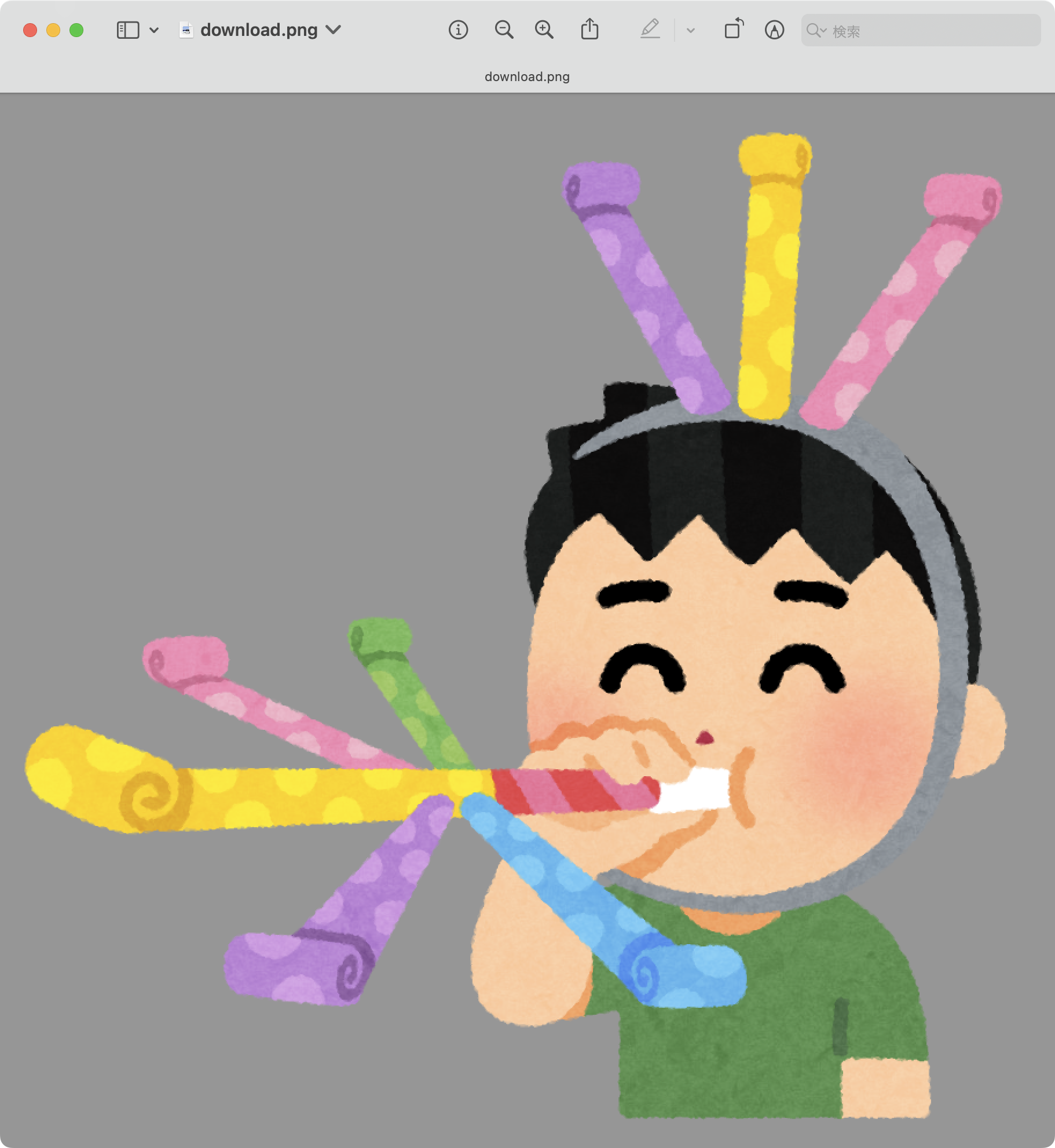
無事、オブジェクトフィールドに保存してあったpngファイルがダウンロードできました。
もう少し簡単に書く
上記の説明は、なにが起こっているか理解するために、わざと--locationオプションを指定せずに、実行しました。
本来は、もう少し簡単に書くことができます。
オブジェクトフィールドのURLにGETリクエスト(--locationを追加)
以下のコマンドで、オブジェクトフィールドのデータを取得できます。
curl --request "GET" \
  --verbose \
  --location \
  --cookie-jar ./cookiejar \
  --cookie ./cookiejar \
  --output download.png \
"https://fm.example.com:443/Streaming_SSL/MainDB/2FA9BAA884B524D0DE34C298FE3EDEC3E2171AF1EC93D510CBCA3772E63E0876.png?RCType=EmbeddedRCFileProcessor"FileMakerのcurlオプションの書き方
FileMakerのURLから挿入を使う場合の、curlオプションの記述例を示します。
--request "GET"
--location
--cookie-jar $cookiejar
--cookie $cookiejar
--output download.png
--FM-return-container-variable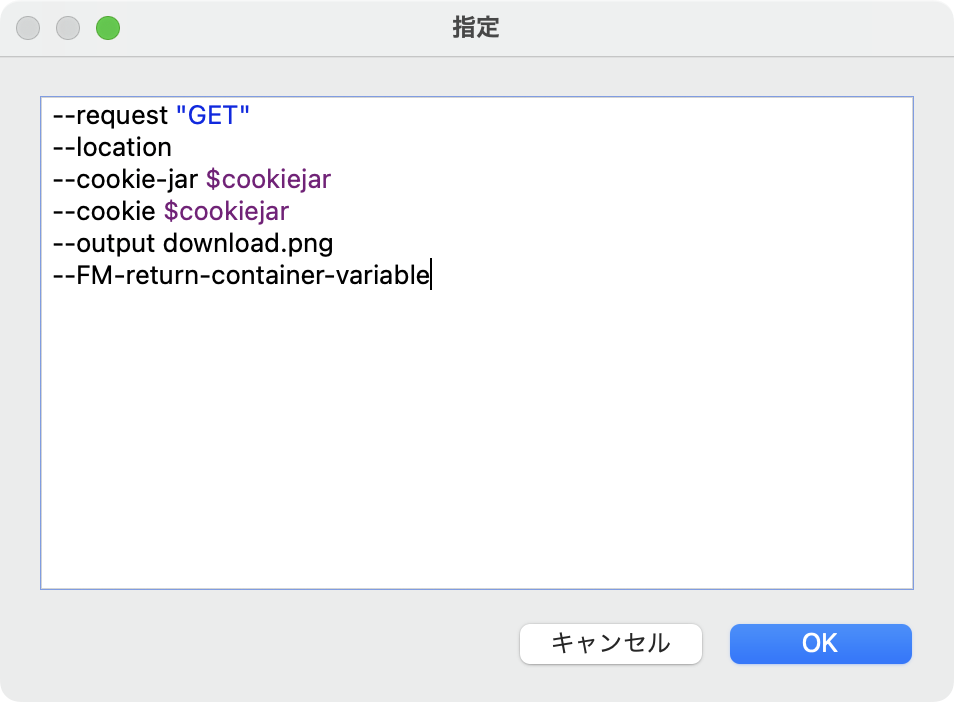
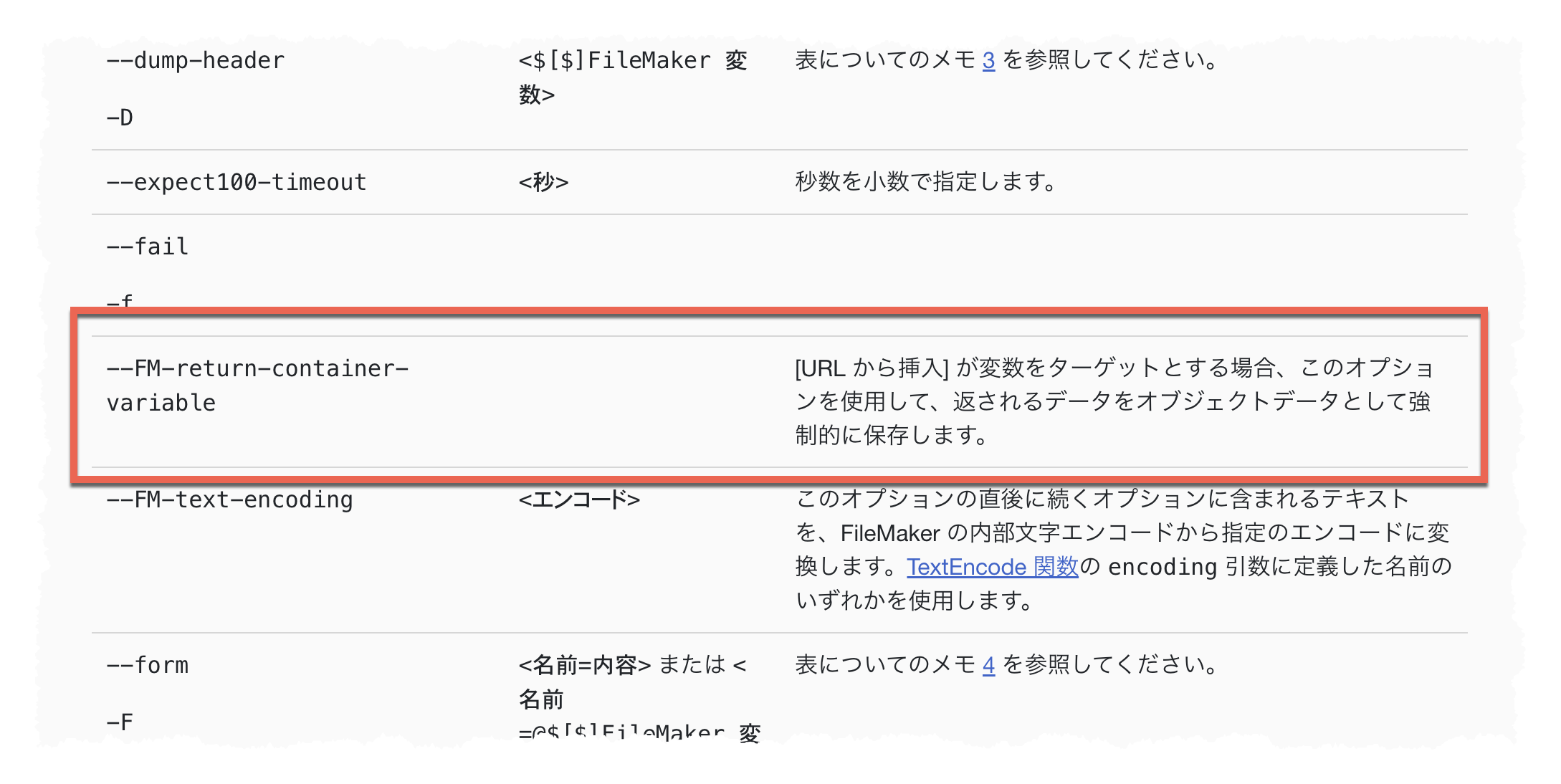
--FM-return-container-variableオプションは、戻り値のバイナリを変数に設定できる便利なオプションです。
このオプションを活用することで、レイアウト上に該当のオブジェクトフィールドが配置されていなくても、データを変数として直接取得できるため非常に便利です。
[URL から挿入] が変数をターゲットとする場合、このオプションを使用して、返されるデータをオブジェクトデータとして強制的に保存します。
スクリプト(テキスト)
# curl in file blank (fm.example.com)

#
# --- オプション
// # --request "GET"
--location
--cookie-jar $cookiejar
--cookie $cookiejar
--output download.png
--FM-return-container-variable
テキストを挿入 [ 選択 ; ターゲット: $オプション ; 「--request "GET" --location --cookie-jar $cookiejar --cookie $cookiejar --output download.png --FM-return-container-variable」 ]
#
# --- url
変数を設定 [ $url ; 値: "https://fm.example.com:443/Streaming_SSL/MainDB/D2B80086AB0CEEC39DE181602AAA3D5454300BBF6320963257B2105053010C40.png?RCType=EmbeddedRCFileProcessor" ]
#
# --- curl
URL から挿入 [ 選択 ; ダイアログあり: オフ ; ターゲット: $バイナリ ; $url ; cURL オプション: $オプション ]
#
変数を設定 [ $debug ; 値: GetContainerAttribute ( $バイナリ ; "all" ) ]
#
現在のスクリプト終了 [ テキスト結果:    ]
#スクリプト(スクリーンショット)
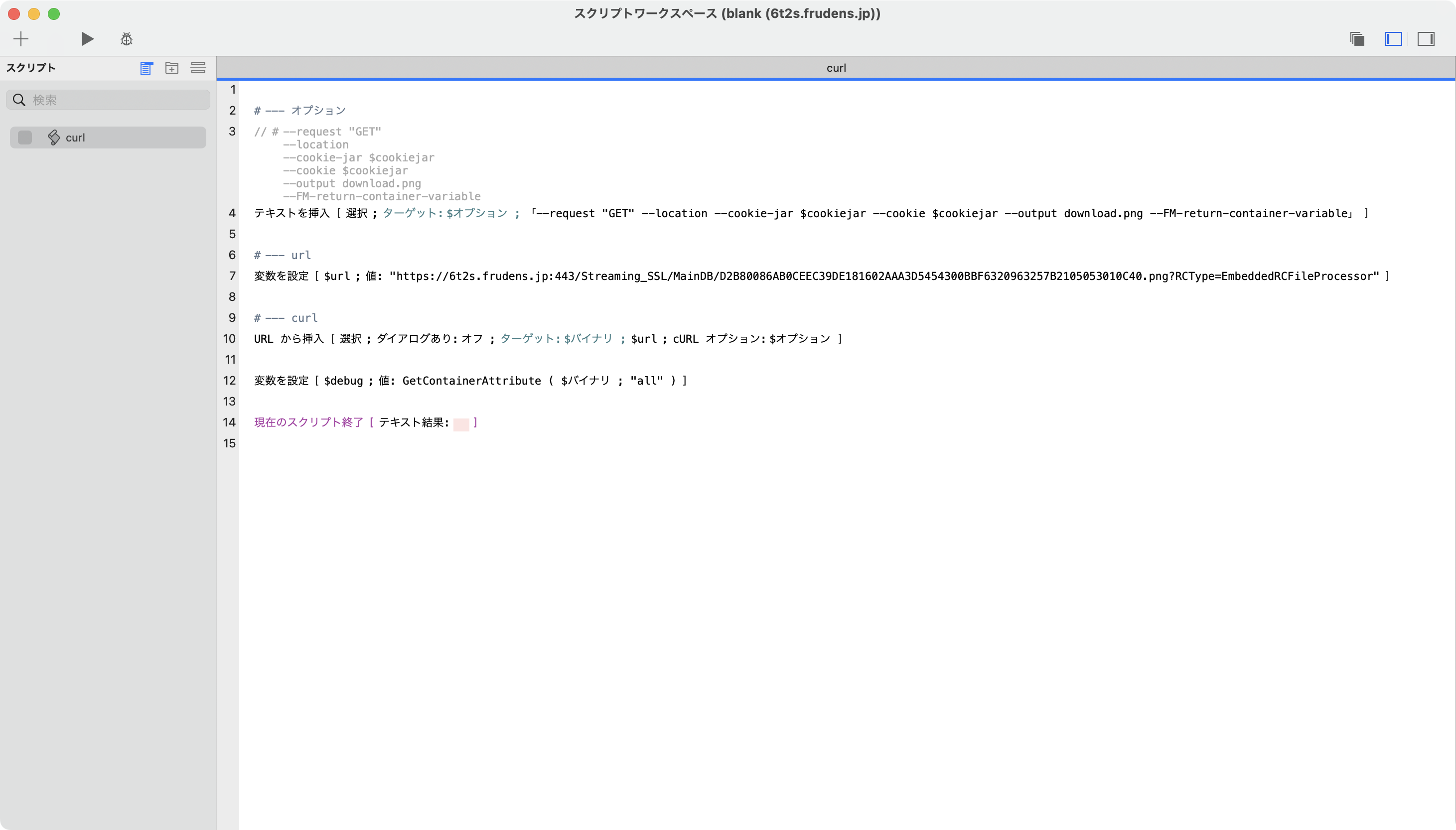
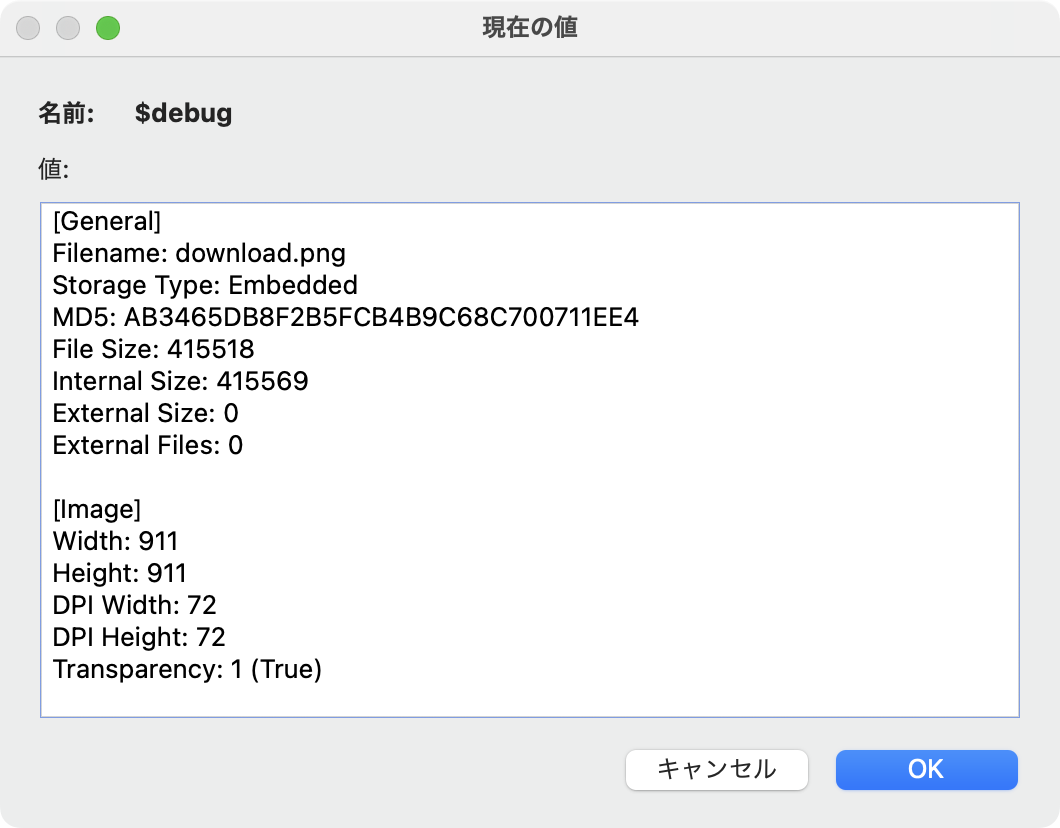
$debugの変数をデータビューアで確認すると、バイナリとして設定されていることが分かります。
変数を設定 [ $debug ; 値: GetContainerAttribute ( $バイナリ ; "all" ) ]